
Battletesting Coroot with OpenTelemetry Demo and Chaos Mesh
 Nikolay Sivko
The most effective method for evaluating an observability tool is to introduce a failure intentionally into a fairly complex system, and then observe how quickly the tool detects the root cause.
We’ve built Coroot based on the belief that having high-quality telemetry data enables us to automatically pinpoint the root causes for over 80% of outages with precision. But you don’t have to take our word for it—put it to the test yourself!
To simplify this task for you, we created a Helm chart that deploys:
- OpenTelemetry Demo: a web store application built as a set of microservices that communicate with each other over gRPC or HTTP.
- Coroot: an eBPF-based observability platform that automatically analyzes telemetry data such as metrics, logs, traces, and profiles to help you quickly identify the root causes of outages.
- Chaos Mesh: a chaos engineering tool for Kubernetes that allows you to simulate various fault scenarios.
#1: Installation
Add Coroot’s Helm charts repo
helm repo add coroot https://coroot.github.io/helm-charts
helm repo update coroot
As Chaos Mesh requires defining the socket and type of the underlying contained daemons, the installation command depends on the particular environment:
Kubernetes (Docker)
helm upgrade --install demo coroot/otel-demo
Kubernetes (containerd)
helm upgrade --install demo \
  --set chaos-mesh.chaosDaemon.runtime=containerd \
  --set chaos-mesh.chaosDaemon.socketPath=/run/containerd/containerd.sock \
  coroot/otel-demo
K3s
helm upgrade --install demo \
  --set chaos-mesh.chaosDaemon.runtime=containerd \
  --set chaos-mesh.chaosDaemon.socketPath=/run/k3s/containerd/containerd.sock \
  coroot/otel-demo
Kubernetes (CRI-O)
helm upgrade --install demo \
  --set chaos-mesh.chaosDaemon.runtime=crio \
  --set chaos-mesh.chaosDaemon.socketPath=/var/run/crio/crio.sock \
  coroot/otel-demo
⚠ Currently, Coroot doesn’t support Docker-in-Docker environments like MiniKube due to eBPF limitations
#2: Accessing Demo App, Coroot, and Chaos Mesh
The chart sets up fixed NodePort services, enabling access to applications from outside the cluster using the IP address of any cluster node
- Demo app: http://<
NODE_IP>:30005 - Coroot: http://<
NODE_IP>:30001 - Chaos Mesh Dashboard: http://<
NODE_IP>:30003
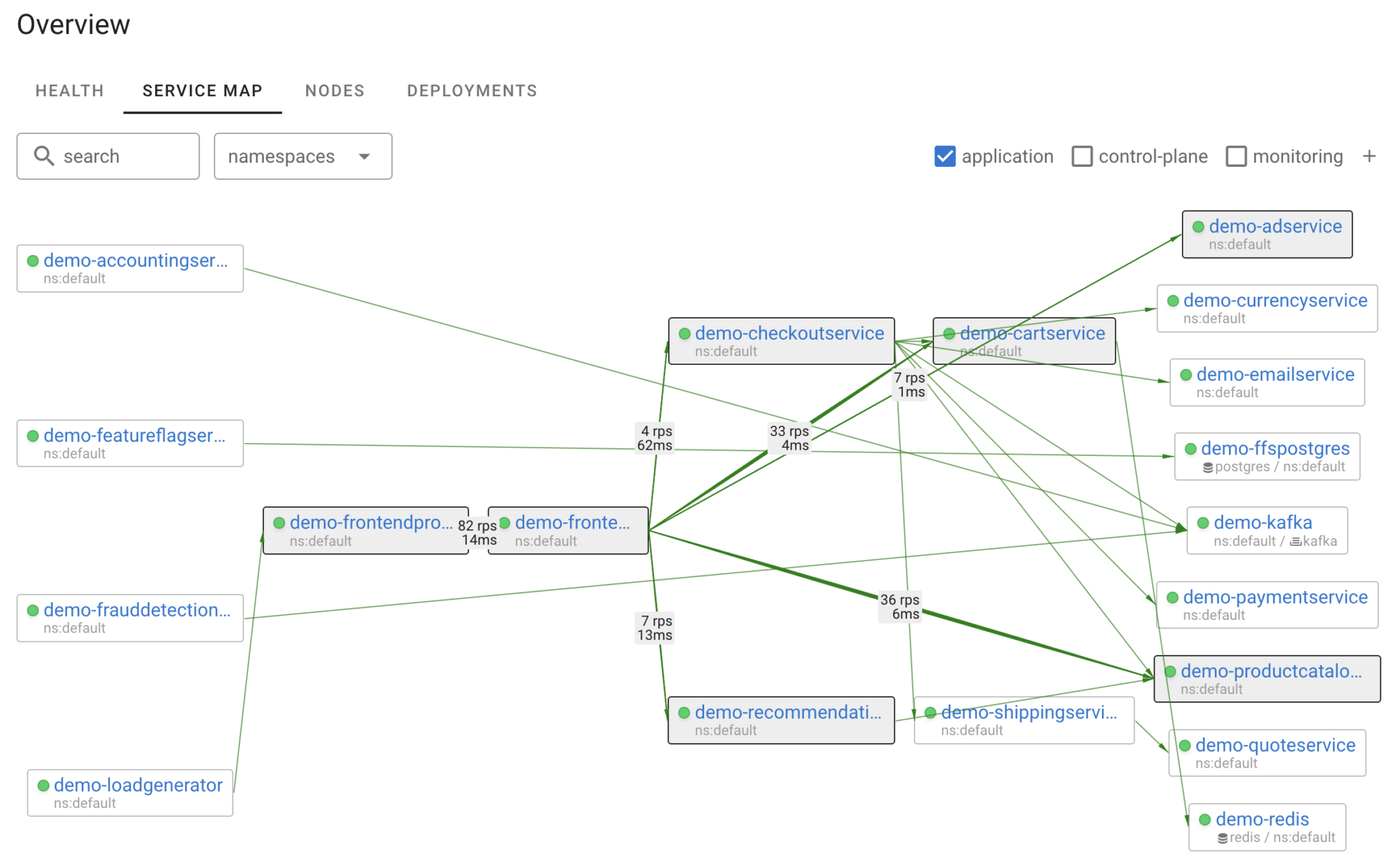
Here’s what the OpenTelemetry Demo looks like in Coroot:
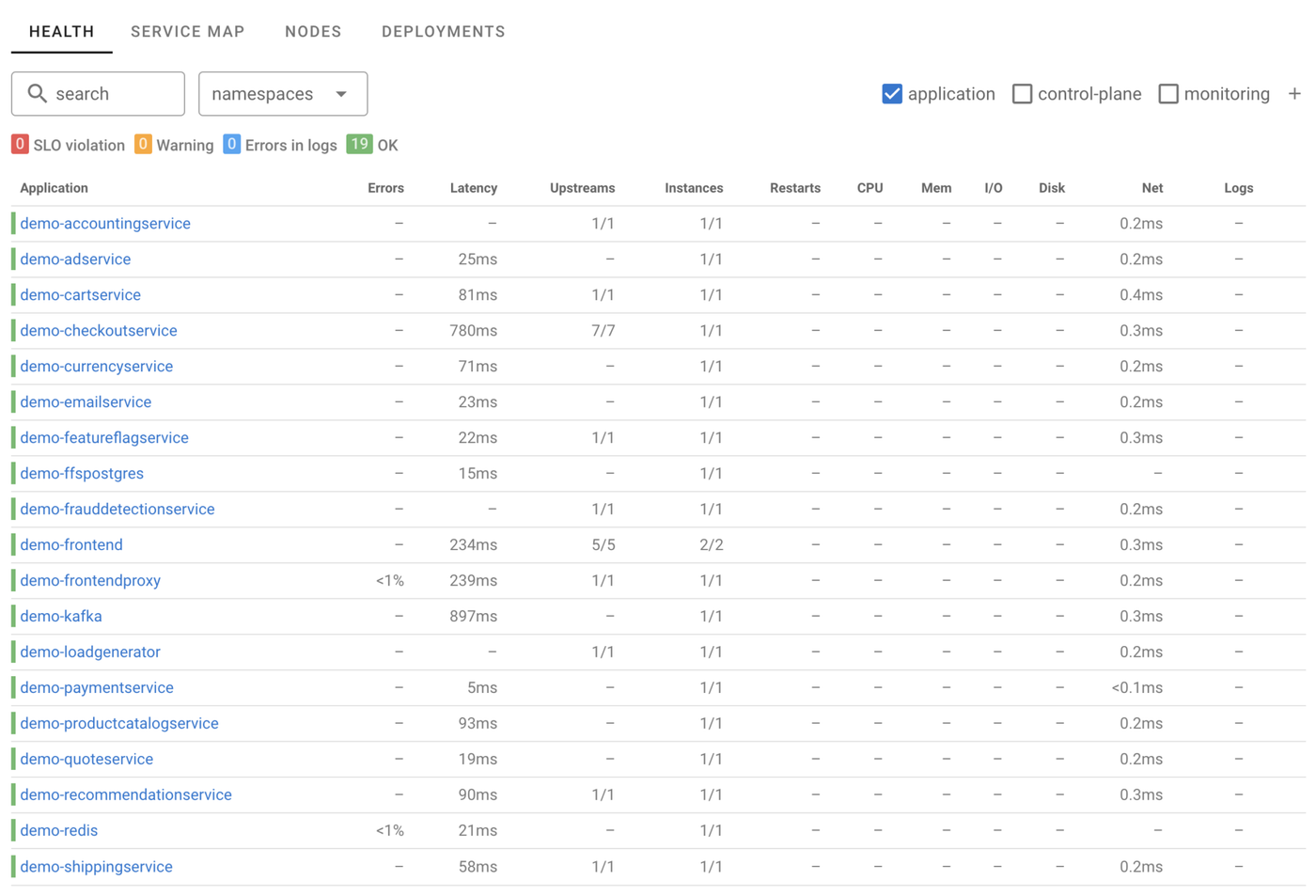
So far, everything is going well in the cluster, no problems have occurred:
Most posts on testing observability tools stop at this step. However, we will take it a step further by introducing failures into the system and observing the system’s behavior “in the middle of an outage”.
#3: Introducing a network failure
Now, let’s set up a chaos experiment in Chaos Mesh. We’ll simulate a scenario where the cart service loses connectivity with the Redis database.

You can create a chaos experiment using Chaos Mesh Dashboard at http://<YOUR_NODE_IP>:30003
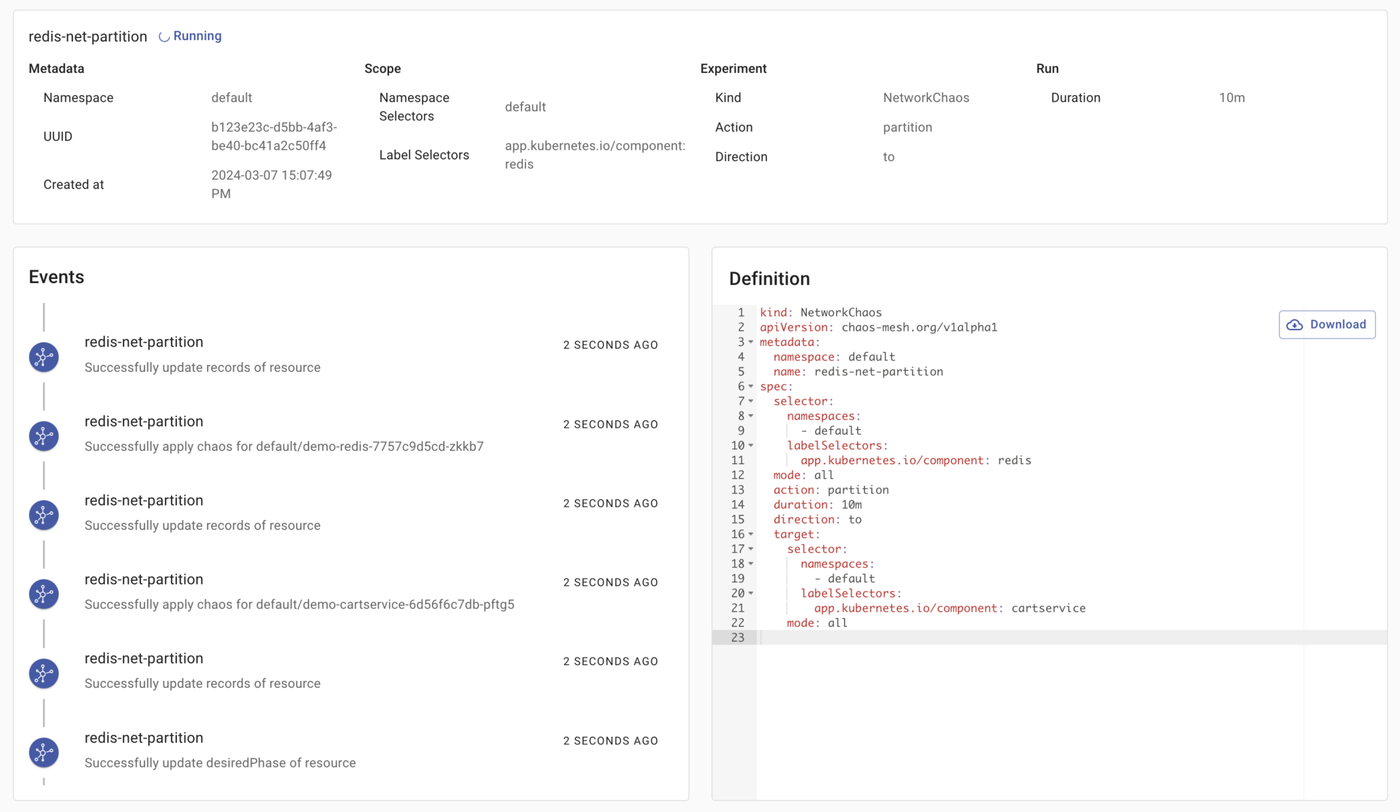
Here is the specification of my experiment:
kind: NetworkChaos
apiVersion: chaos-mesh.org/v1alpha1
metadata:
  namespace: default
  name: redis-net-partition
spec:
  selector:
    namespaces:
      - default
    labelSelectors:
      app.kubernetes.io/component: redis
  mode: all
  action: partition
  duration: 10m
  direction: to
  target:
    selector:
      namespaces:
        - default
      labelSelectors:
        app.kubernetes.io/component: cartservice
    mode: all
If we navigate to the Demo app (http://<YOUR_NODE_IP>:30005), we’ll notice that we are no longer able to add an item to the cart. Now, let’s examine how this failure appears in Coroot.
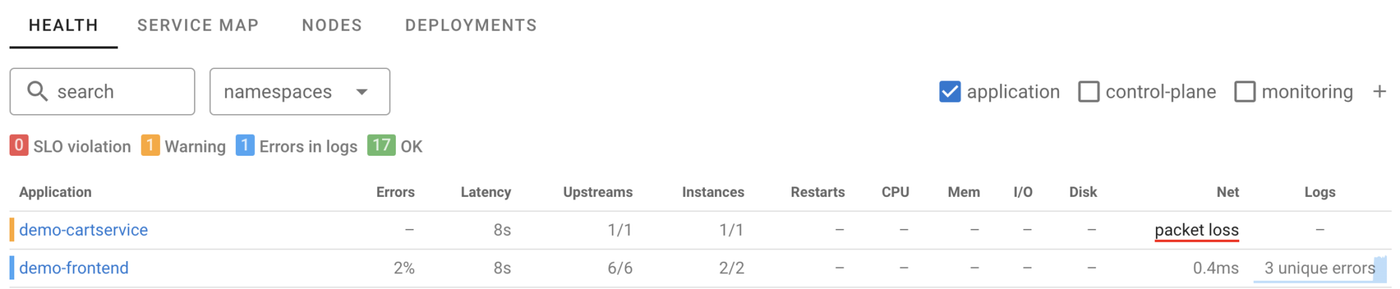
The Application Health Summary indicates that cartservice is experiencing network connectivity issues with one of its upstream services. By clicking on this issue, we can delve into the details.
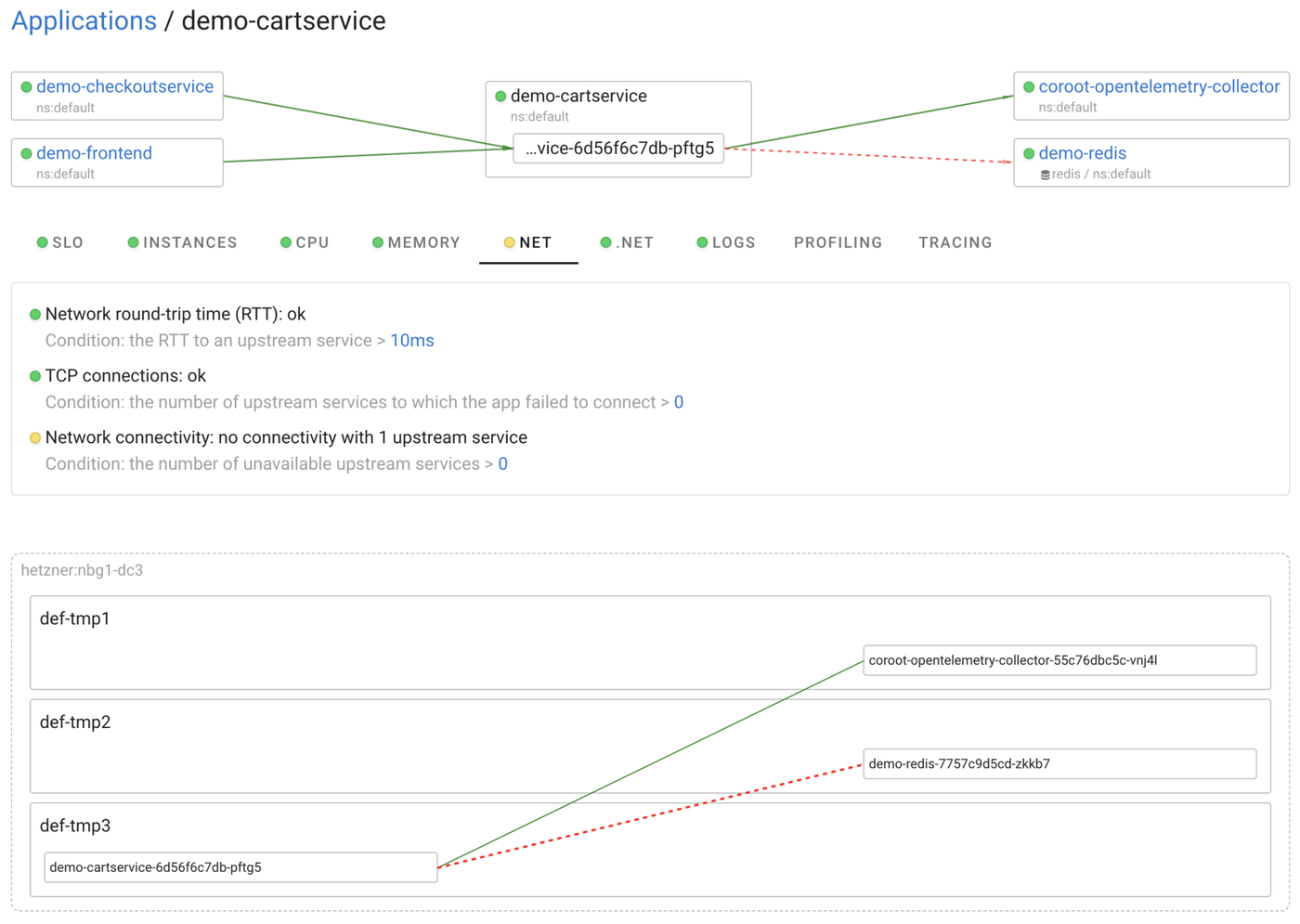
As seen here, Coroot has pinpointed the specific Pods encountering the network connectivity issue.
Additionally, it indicates that there are errors in the frontend service logs.
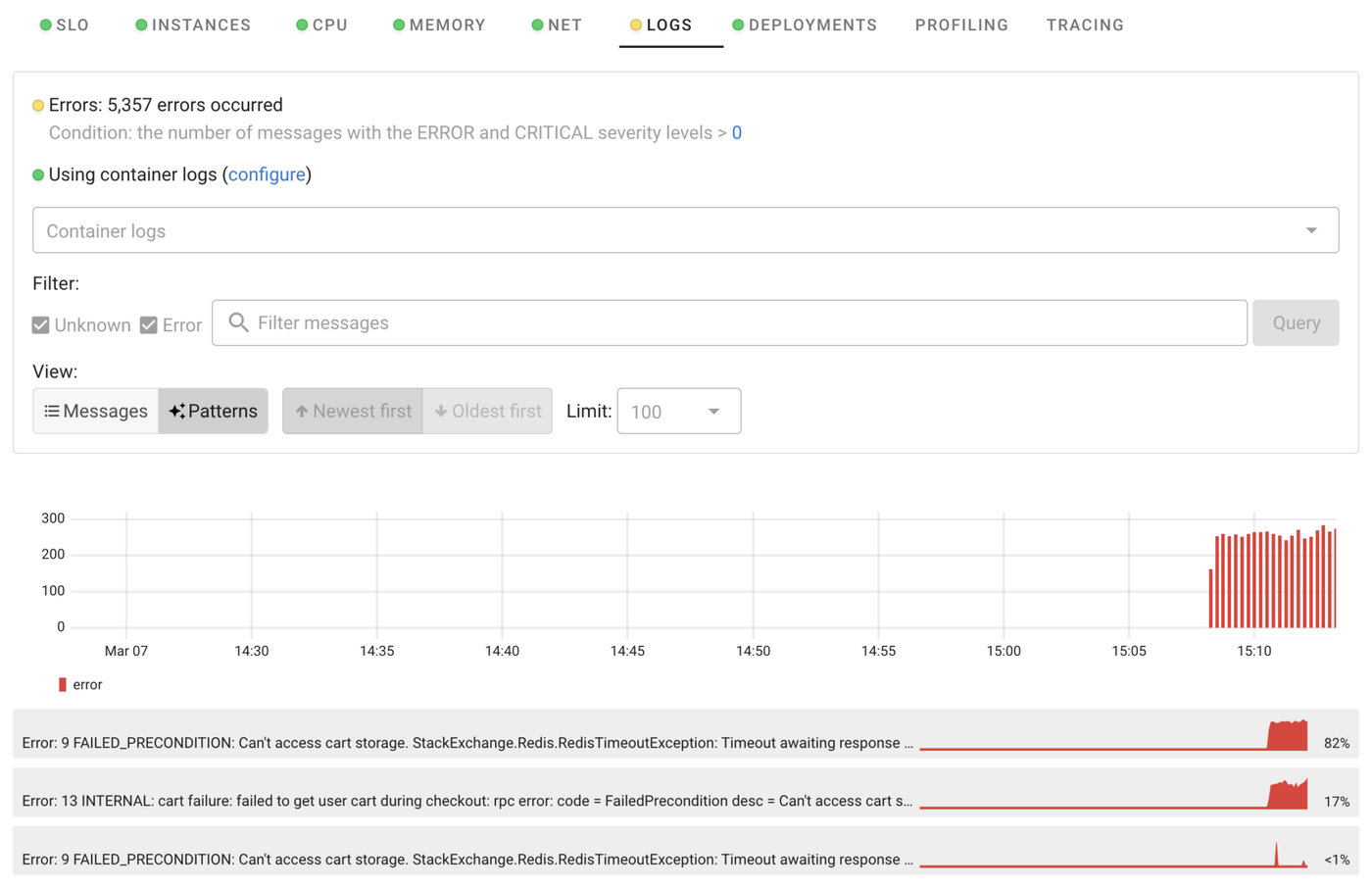
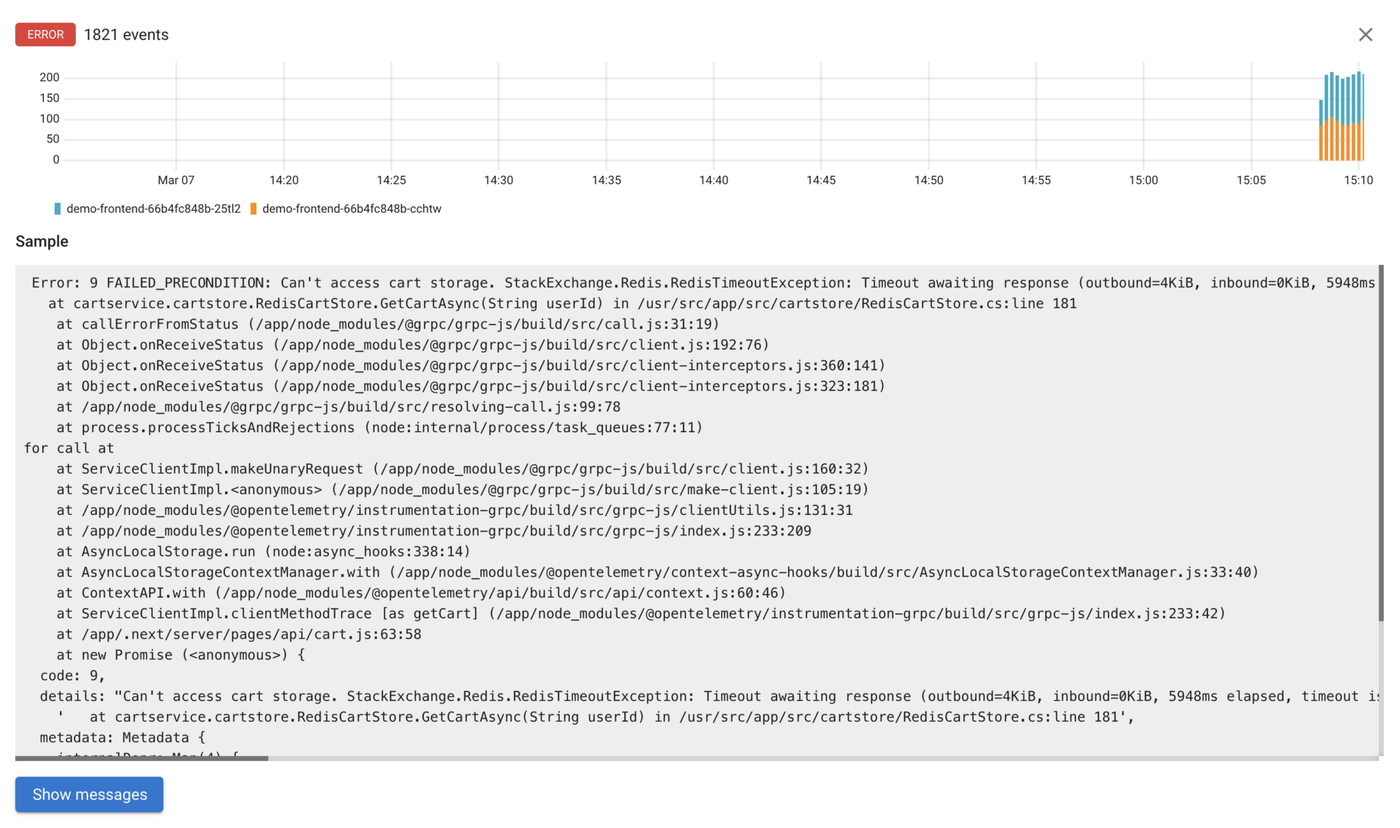
Thanks to Coroot’s capability to extract repeated patterns from logs, we can quickly identify that there are three unique errors in the logs, all of which are related to the Redis database.
Bonus track

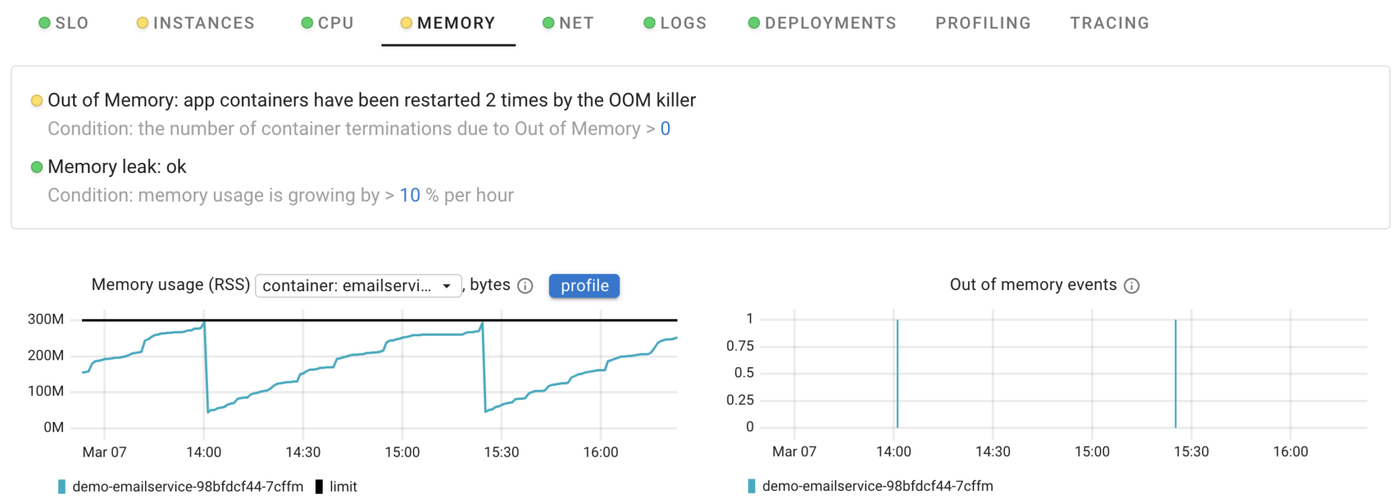
After gathering statistics over a longer period of time, Coroot detected that emailservice has a memory leak and is being killed by the OOM Killer every 1.5 hours.
Conclusion
In this post, I’ve only shown one way things can go wrong, but Chaos Mesh lets you test for many more issues. If you try this with Coroot, please let us know what you find. Together, we can make Coroot better and help many engineering teams investigate outages faster!
Try Coroot Enterprise now (14-day free trial is available) or follow the instructions on our Getting started page to install Coroot Community Edition.
If you like Coroot, give us a ⭐ on GitHub️.
Any questions or feedback? Reach out to us on Slack.