
gethostlatency – eBPF Command Line Tools
 Peter Zaitsev
Introduction
In this blog post we will look at gethostlatency command. It is available in both BCC and bpftrace tool collections.
Background
Most applications and services use hostnames, rather than IP addresses to communicate with other services. This means before connection to the service can be established, another request needs to be made – to DNS (Domain Name System). As such its performance and availability impacts performance of virtually all services in your environment, yet it is often ignored. I write more about this problem in my "Why should you care about DNS Observability" article.
Problem
You need the tool to understand performance of domain name resolution, in your system as well as domain name resolution failures.
Gethostlatency Usage
Running gethostlatency with no parameters, times getaddrinfo and gethostbyname system calls and outputs table listing time of the call, target host as well as name of the process, from which request has originated. It is worth noting, gethostlatency tool does not identify whenever host resolution was successful or host was not found.
# gethostlatency
TIME     PID     COMM             LATms      HOST
18:05:37 1093249 http             1.218      mirrors.linode.com
18:05:45 1094944 sd-resolve       2.439      ntp.ubuntu.com
18:06:01 1100143 rsyslogd         0.183      localhost
18:06:26 1100183 ping             190.482    unknown.hosts.net
18:10:45 1100214 sshd             0.100      188.166.86.128
Gethostlatency Command Line Options
# gethostlatency --help
Usage: gethostlatency [OPTION...]

Show latency for getaddrinfo/gethostbyname[2] calls.

USAGE: gethostlatency [-h] [-p PID] [-l LIBC]

EXAMPLES:
    gethostlatency             # time getaddrinfo/gethostbyname[2] calls
    gethostlatency -p 1216     # only trace PID 1216

  -l, --libc=LIBC            Specify which libc.so to use
  -p, --pid=PID              Process ID to trace
  -v, --verbose              Verbose debug output
  -?, --help                 Give this help list
      --usage                Give a short usage message
  -V, --version              Print program version
Related features in Coroot
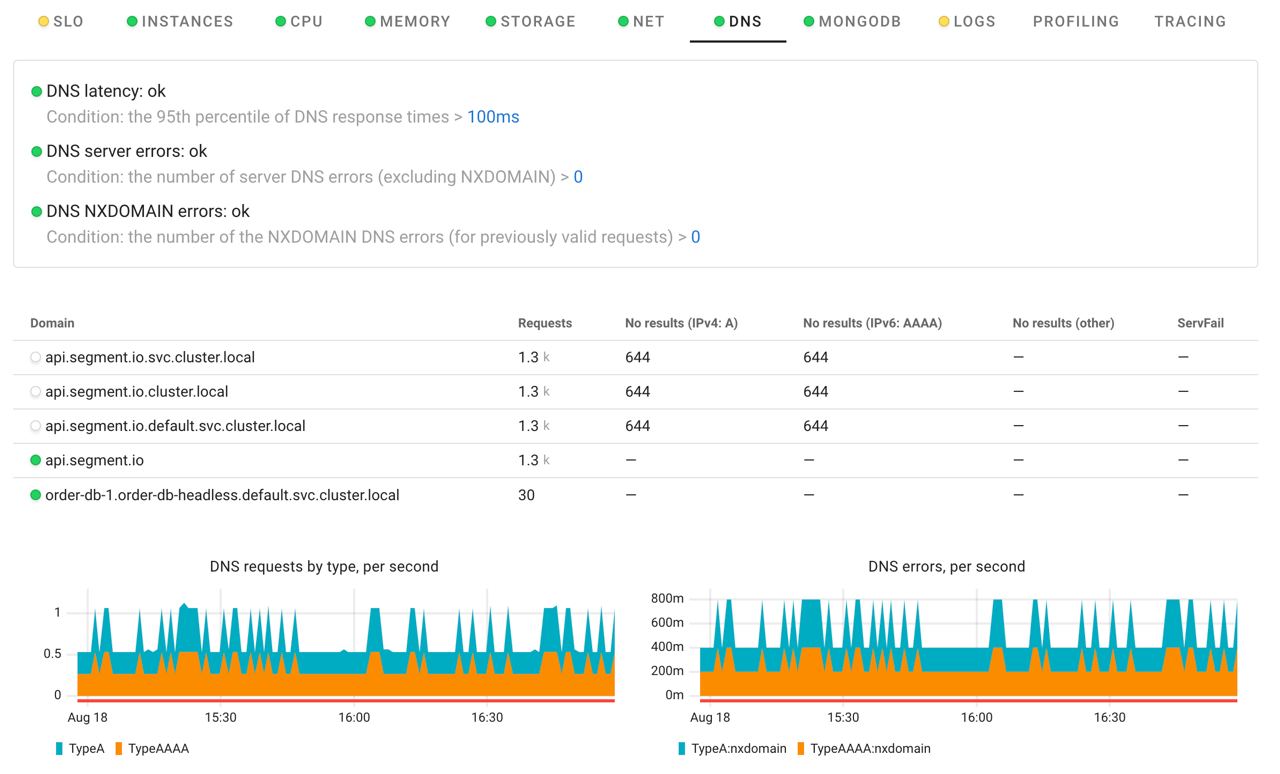
Coroot comes with advanced DNS Monitoring features, yet it works slightly differently than the gethostlatency tool – instead of instrumenting getaddrinfo and gethostbyname system calls, Coroot traces DNS protocol network communications. This means Coroot, unlike gethostlatency, will not discover hostname lookups which are resolved locally, i.e. through /etc/hosts. This is not usually a problem as it is network-based DNS resolution where errors and latency usually come from.
At the same time, unlike gethostlatency, Coroot reports on failed DNS resolutions, be it NXDOMAIN (name not found) or other server errors.
For more eBPF Linux Command Line tools check out this article.